Buying Guides
How to Choose the Right TFT LCD Size and Brightness for Your Application
Size and brightness are the two things customers ask us about most — and the two things that cause the most trouble when they get picked wrong. A screen that is too small, or too dim for where it will be used, is hard to fix later. The panel has to fit the enclosure, and it has to stay readable in the light it will actually work in. Here is how we usually help customers choose, based on the panels we sell every day — original BOE panels from 3.5" to 43", plus custom modules.
Where will the screen live?
A POS terminal on a shop counter is viewed from 30 cm away. A wall-mounted information screen in a station hall might be read from 3 metres. That distance decides the size more than anything else. The other thing to check is the enclosure — how much room do you actually have? And what will the screen show: simple text and numbers, or detailed images and video?
Picking the size
Small screens, 3.5" to 8", work best where space is tight and the viewer is close: POS terminals, handheld devices, access-control panels, HMI controls. Our range here runs from the 3.5" YH035HVM40-01 (320×480) up to the 8" YH080WXIM31-03 (800×1280).
10.1" to 19" is where most industrial equipment lands — industrial monitors, panel PCs, kiosks, medical devices. The viewer is about an arm's length away. Two examples: the 15.6" EV156FHM-N10 (1920×1080) and the 17" DV170E0M-N30 (1280×1024).
21.5" to 43" is for screens people read from a distance — digital signage, advertising displays, control rooms. If the content is detailed, go for the higher resolution: our 43" DV430QUM-N10 is 4K UHD (3840×2160), and the 31.5" MV315QUM-N20 gives you the same resolution in a smaller size.
Picking the brightness
Brightness is measured in nits, and it is mostly about the light around the screen, not the screen itself.
250 to 350 nits is fine for a normal indoor room — an office, a factory floor, a shop interior. That covers most of our standard panels, like the 23.8" MV238FHM-N30 (250 nits) or the 15.6" GV156FHM-N43 (300 nits).
400 to 500 nits is what you want if the screen sits near a window or in a bright hall. The 17" DV170E0M-N30 and the 43" DV430QUM-N10 are both 500 nits.
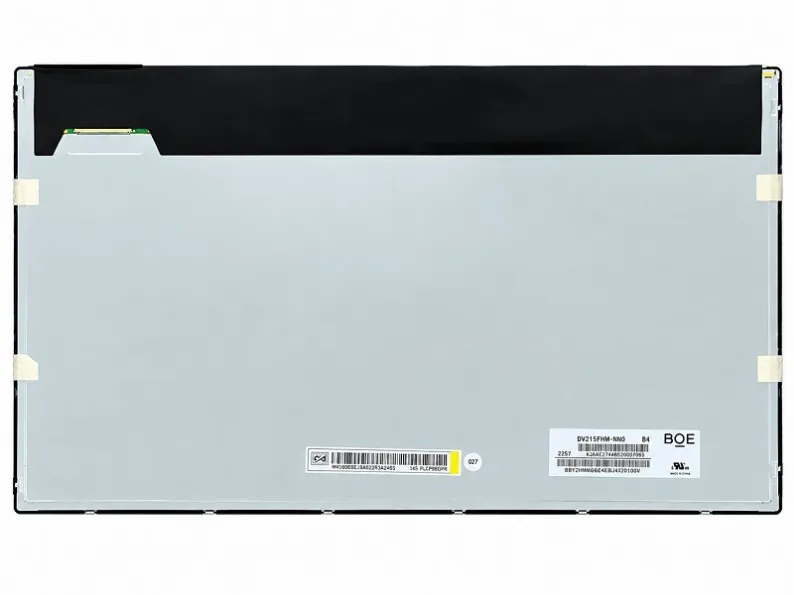
1000 to 1500 nits is for strong ambient light or outdoor use. We have three panels in this range: the 18.5" DV185FHM-R00 (1000 nits), the 21.5" DV215FHM-R10 and the 27" DV270FHM-R01 (both 1500 nits).
One honest note: brighter costs more and draws more power. If your screen will live in a dim warehouse, 1500 nits is money spent for nothing. Buy the brightness for the room the screen will actually be in.
Don't forget resolution
One more thing people get wrong: resolution has to match the size. A big screen with a low resolution looks rough up close. A small screen with 4K is money wasted — nobody can see the difference at that size. For most industrial use, 1920×1080 is enough from 15.6" to 27". Go 4K (3840×2160) on 31.5" and 43" when the picture is detailed — maps, CAD drawings, video.
The short version
- POS / handheld terminal: 3.5"–8", 300–500 nits — YH035HVM40-01, YH070WSIBM25-01
- Industrial monitor / panel PC: 10.1"–19", 300–500 nits — EV156FHM-N10, DV170E0M-N30
- Kiosk / self-service: 15.6"–27", 500 nits or more — DV185FHM-R00, DV270FHM-R01
- Digital signage / control room: 32"–43", 400–500 nits — DV320FHM-NN0, DV430QUM-N10
- Outdoor / strong light: 18.5"–27", 1000–1500 nits — DV185FHM-R00, DV215FHM-R10, DV270FHM-R01
Still not sure? Tell us where the screen will be used, how far away people will stand, and how much room you have in the enclosure — we will point you to the right panel. You can reach us at lisa@gd-ytgd.com, or read our guide to requesting a quote.